How to Join War Servers (Hytale)
Follow these steps exactly. This guide is designed to be simple and reliable, even for first-time players.
Step 1 - Purchase and download Hytale
Go to hytale.com, purchase the game (if required), and download the official launcher.
Only use the official site to avoid fake launchers.
Step 2 - Launch the game
Open the Hytale launcher, sign in, and click Play to launch the game.
Step 3 - Open the Servers screen
In-game, click Servers.
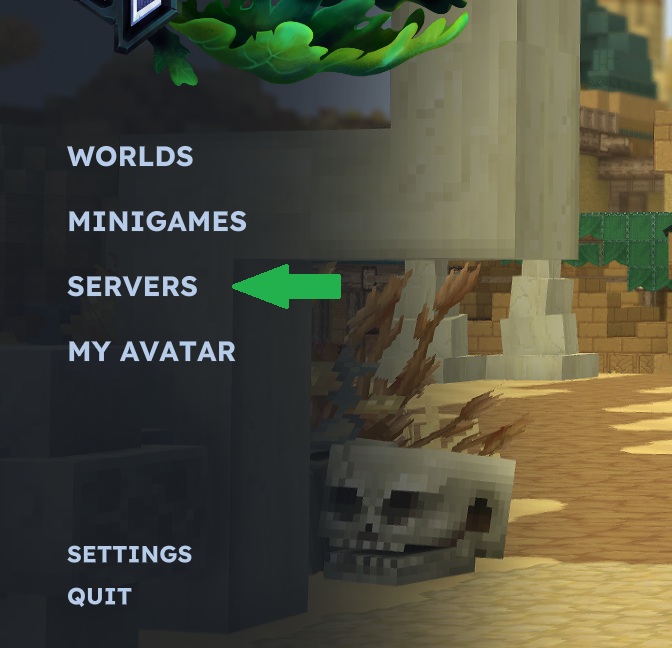
Click the image to open it larger.
Step 4 - Click Add Server
Click Add Server to create a saved entry.
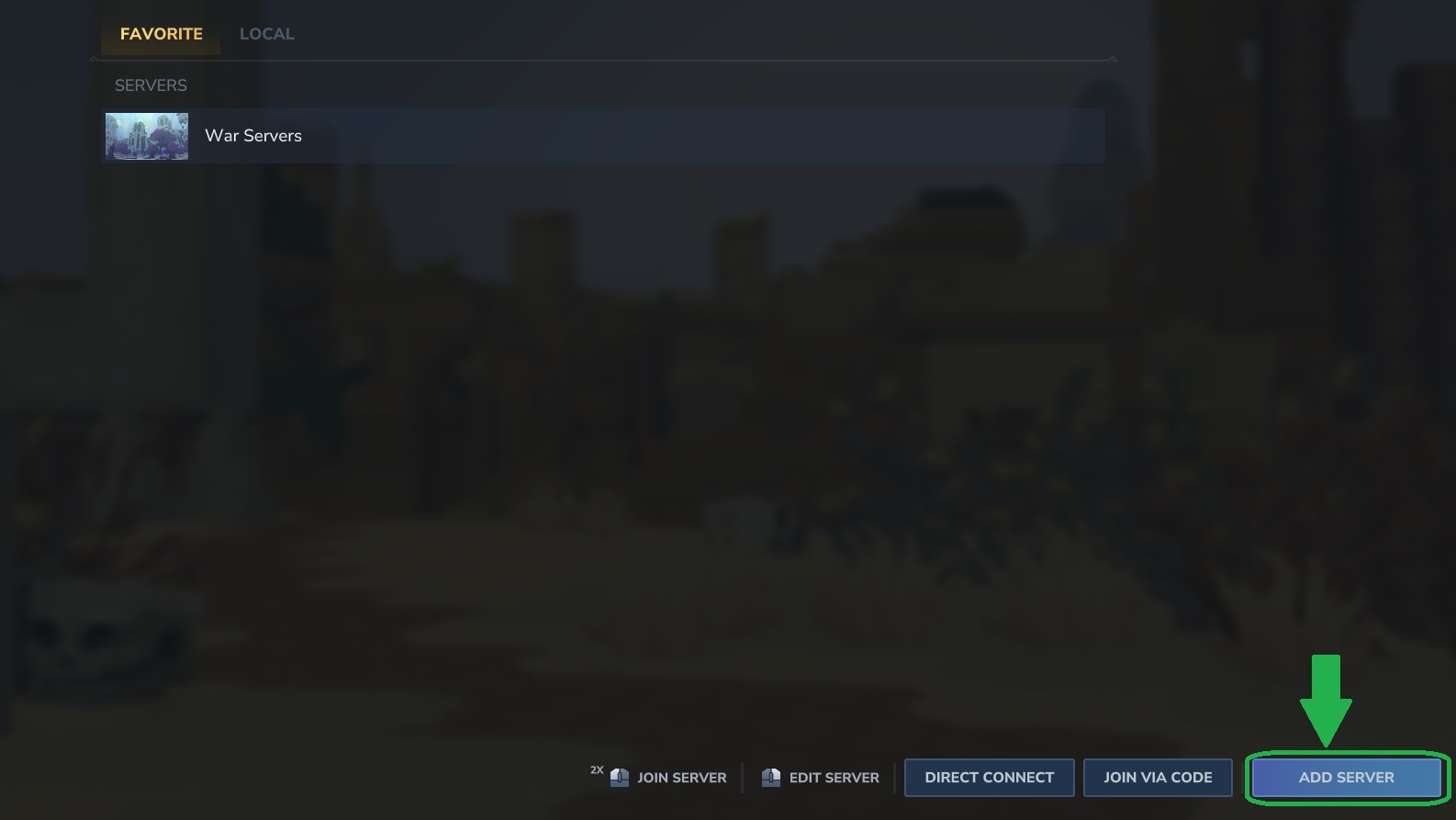
Click the image to open it larger.
Step 5 - Enter the server name and address
Type the server details exactly as shown below:
Server Name
War Servers
Address
wow.warservers.org
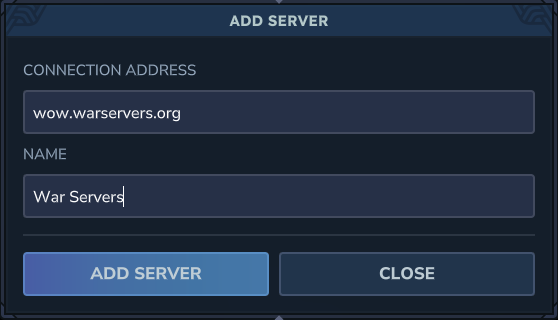
Click the image to open it larger.
Step 6 - Save and join
Save the server entry, then select War Servers and click Join.
If you cannot connect, double-check spelling and try again. If it still fails, post a screenshot in Discord and we will help.